تخطي للذهاب إلى المحتوى
The Factory Floor

Built for the shop,
not for the boardroom.

Material is your biggest cost and your floor is where it disappears. This is the part of the system that nests the bars, hands the operator a tablet they can use with gloves on, and tells you the yield in a number rather than a feeling.
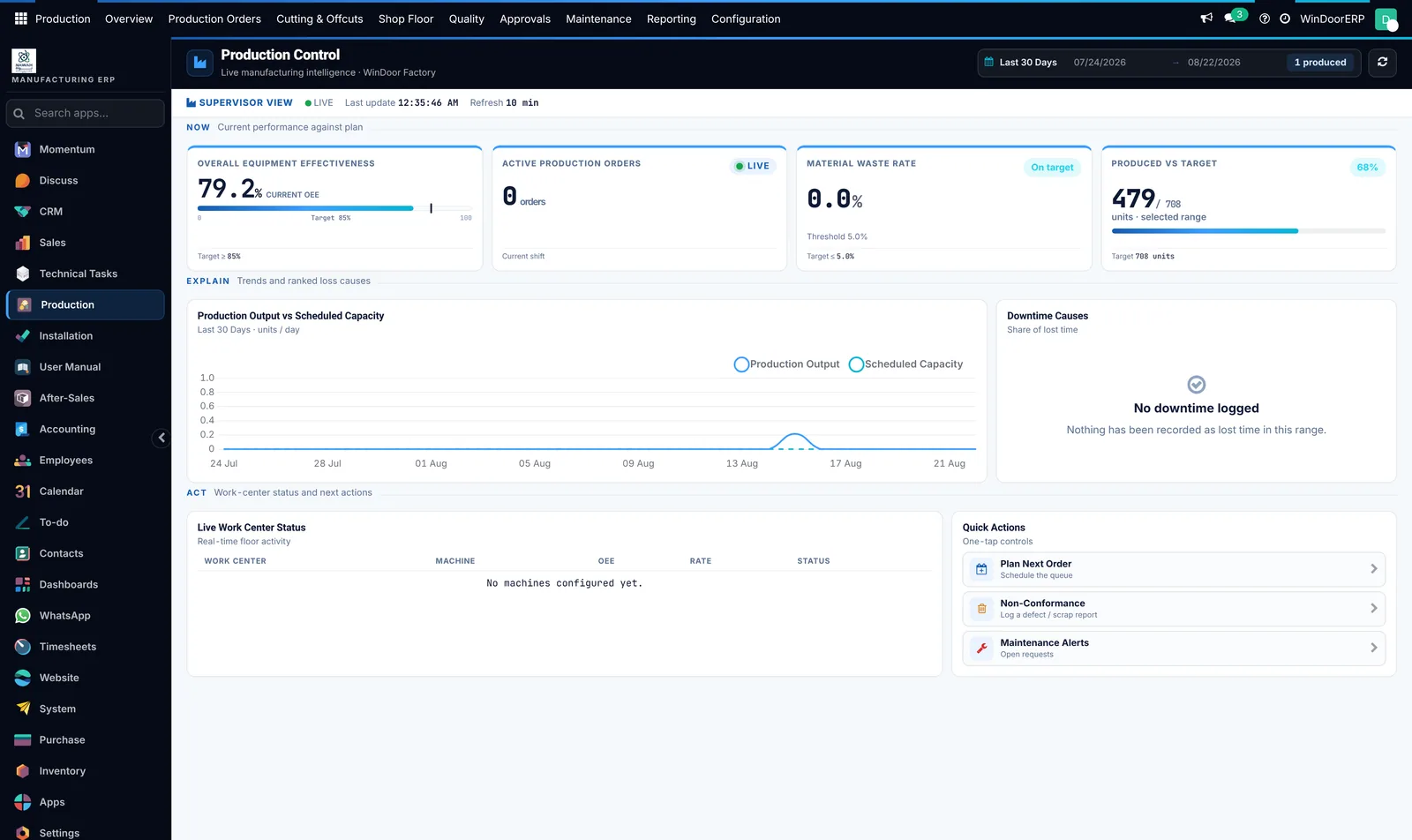
equipment effectiveness, active orders, waste rate, output against scheduled capacity and the causes of every lost minute
The factory, live — equipment effectiveness, active orders, waste rate, output against scheduled capacity and the causes of every lost minute
Cutting & off-cuts

Where the material money is won or lost.

Bar nesting and sheet nesting with parameters that match your workshop: kerf, end trim, a reusable-remainder threshold and a weight per metre. Every plan reports its own yield, so the saving is a figure on a record rather than a claim on a website.
stock bar · 6000 mm · kerf 5 mm · trim 10 mm BAR 1 1700 1700 1700 855 BAR 2 from offcut 2250 1630 260 mm — under threshold, booked as waste BAR 3 1330 1330 1330 1330 570 Offcut inventory Anything longer than the reusable threshold goes back to stock with its own reference and location, and is offered first on the next plan. YIELD 96.31 % WASTE INCL. OFFCUT 3.69 % PATTERNS 3 DISTINCT CUTS 6 STRATEGY exact_dp
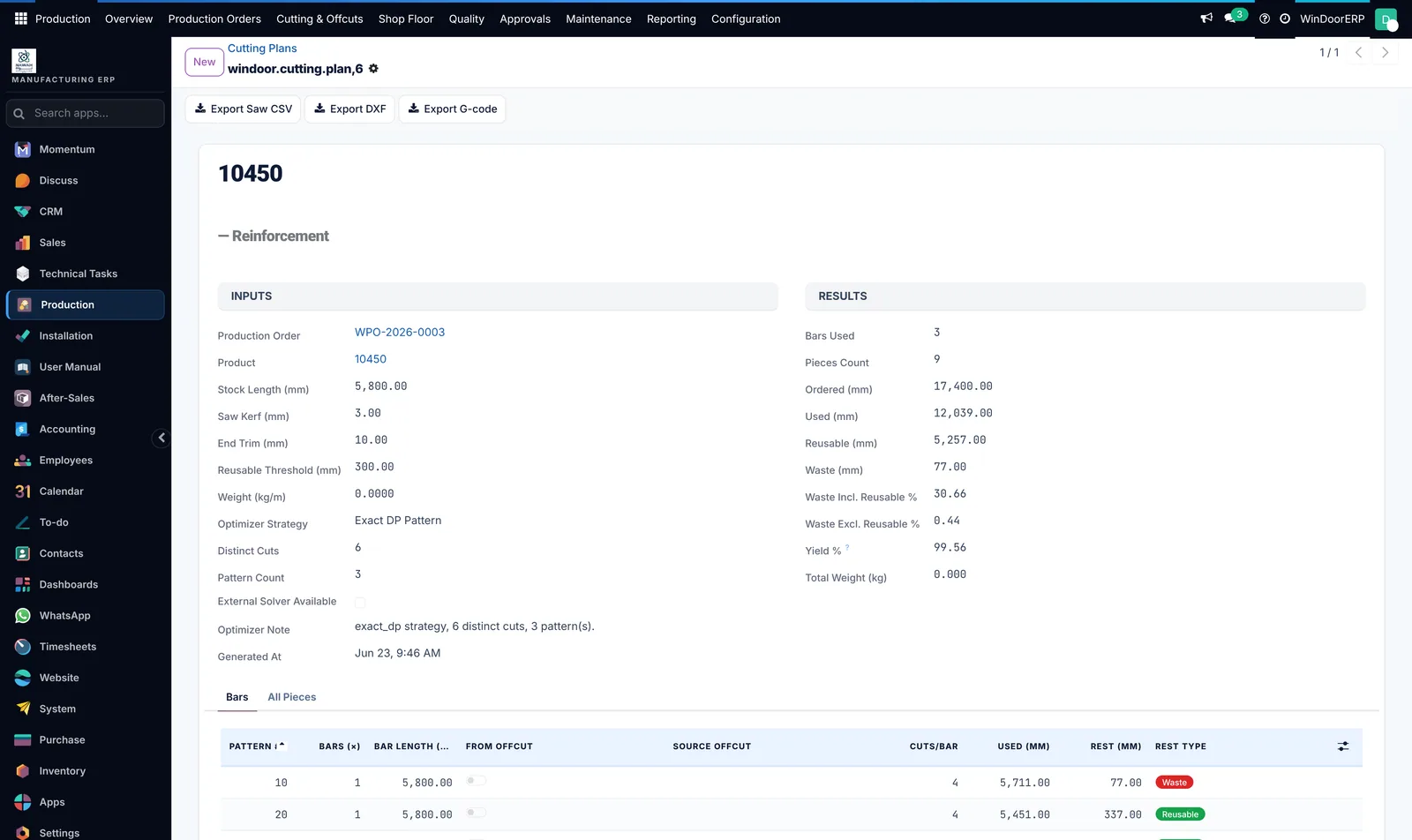
The numbers on this strip are the fields the optimiser writes on every plan — the screenshot beside it is the same figures on a real order.
inputs on the left, results on the right — bars used, ordered and used millimetres, reusable rest, waste excluding reusable, yield, and the pattern list underneath
A generated plan — inputs on the left, results on the right — bars used, ordered and used millimetres, reusable rest, waste excluding reusable, yield, and the pattern list underneath
14s
From the list into one plan — the optimiser results, the per-bar patterns, and the files that go to the machine
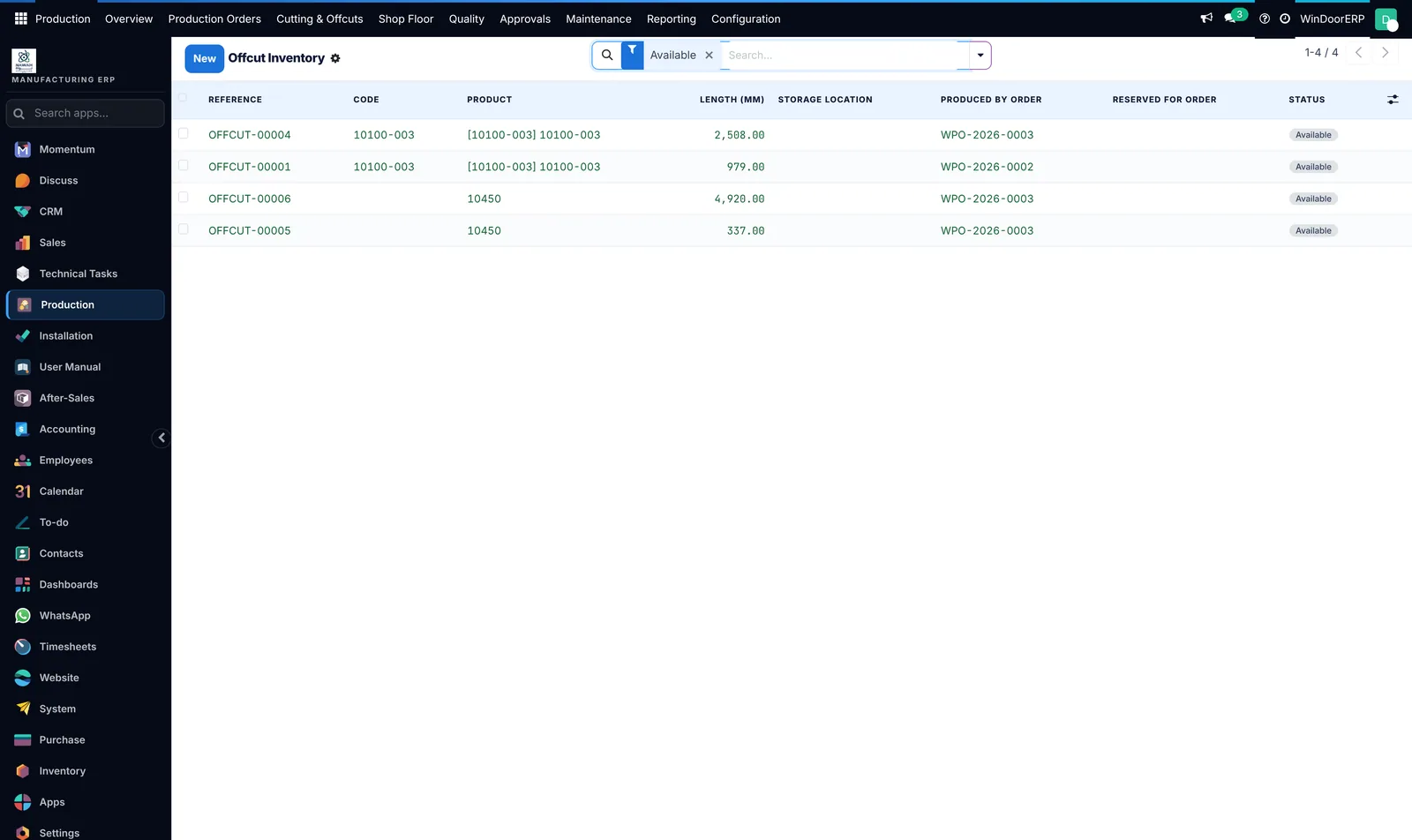
each usable remainder gets a reference, a length, a storage location and the job it came from — and is offered first on the next plan
Off-cut inventory — each usable remainder gets a reference, a length, a storage location and the job it came from — and is offered first on the next plan
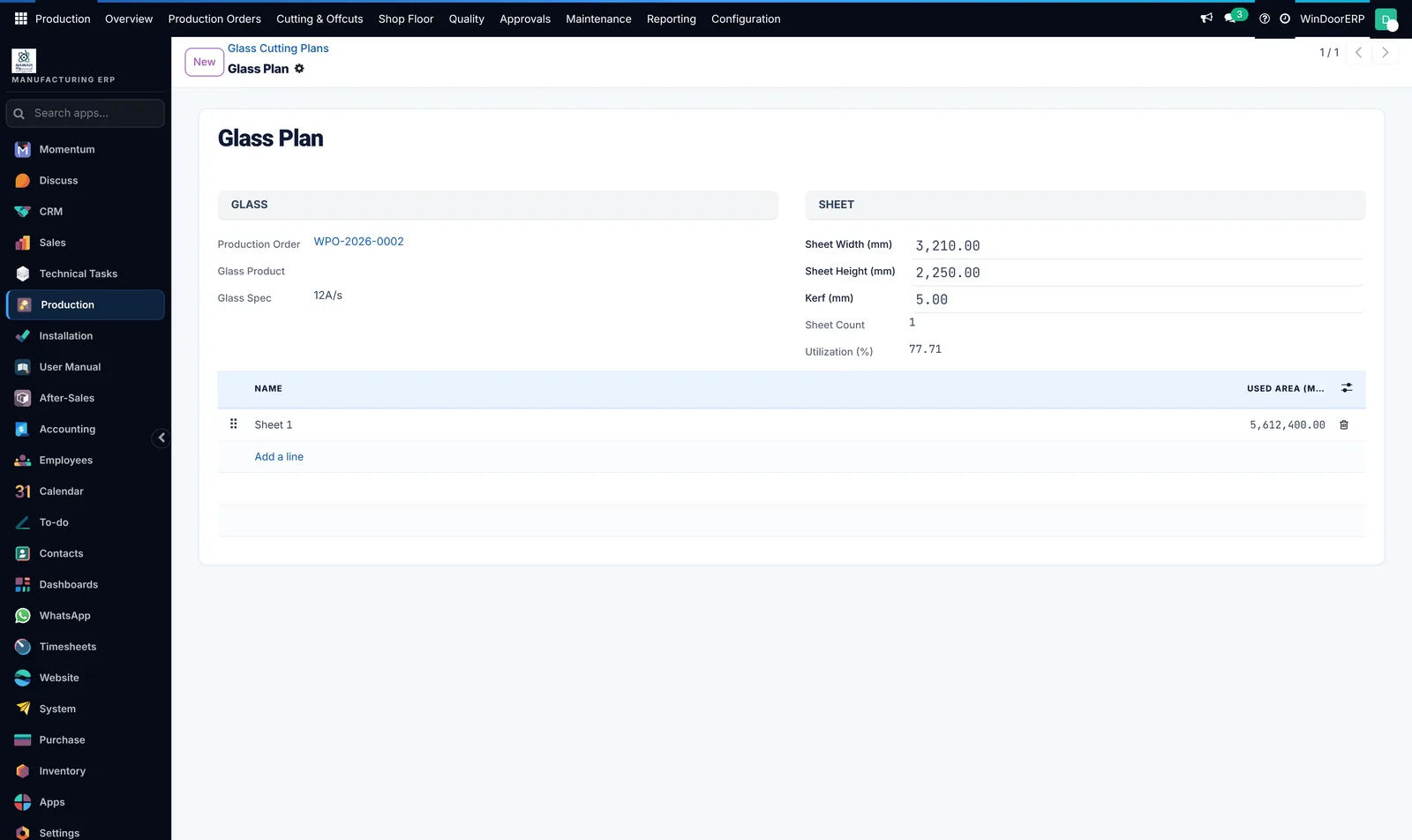
sheet width, height, kerf and sheet count, with the utilisation the nesting achieved
Glass nesting — sheet width, height, kerf and sheet count, with the utilisation the nesting achieved
⚙️

Straight to the machine

Every plan exports in the formats a workshop actually consumes: a saw cutting list, a drawing file for machining centres, and machine code. The buttons sit on the plan itself, above the results.

Saw list Drawing file Machine code
Photo
The exported cut list on a real saw controller

One photograph of the machine screen running a WindoorERP list closes this loop better than any diagram can.

Planning

A production order that knows where it came from.

It carries the units, the surveys that verified them, the material lines it consumed and every transaction it caused. Merge two when the schedule changes, split one when half the job is urgent, and plan the lot on a timeline.
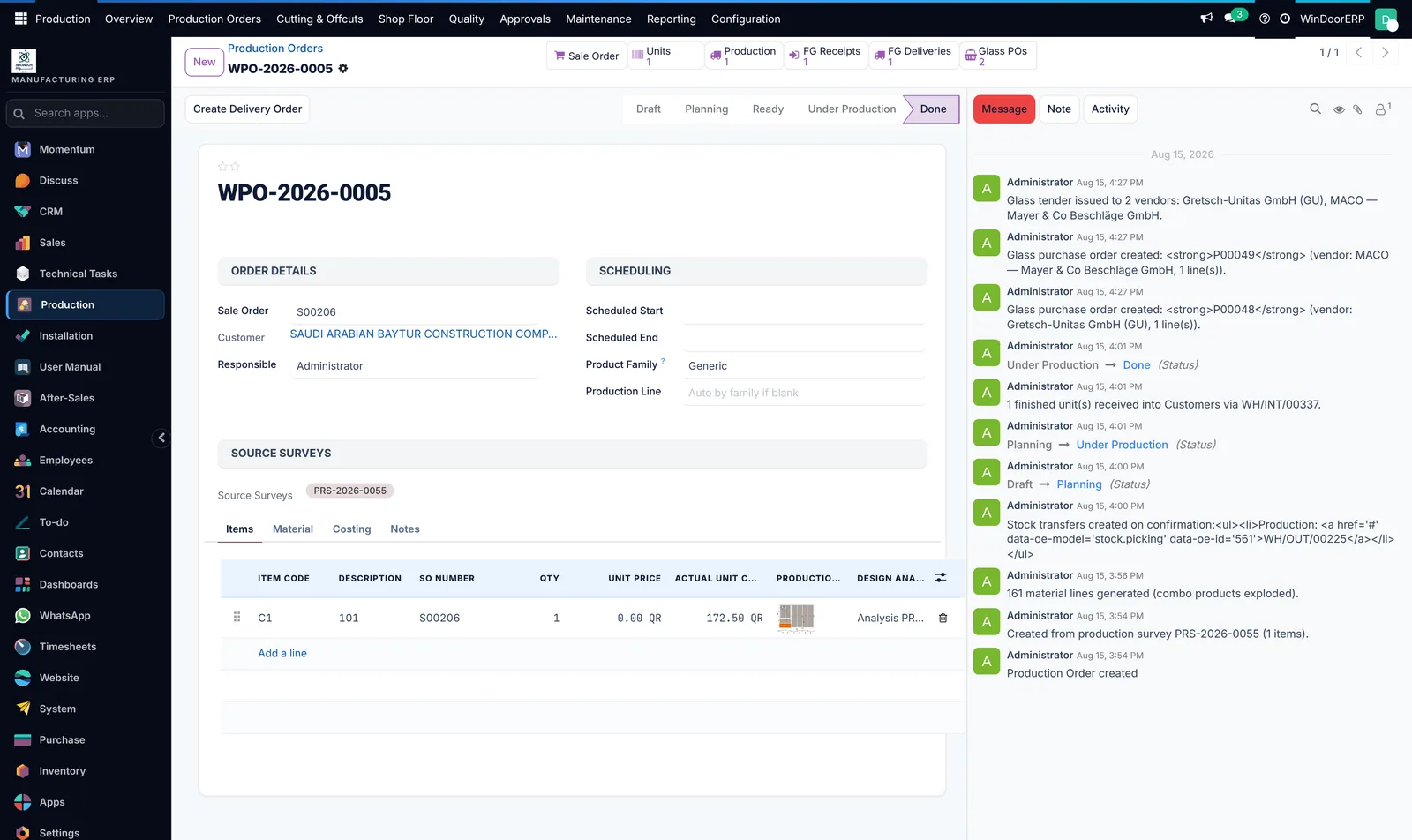
source surveys, scheduling, per-item lines with the drawing and the area, and a history that records every material and glass movement it caused
One order — source surveys, scheduling, per-item lines with the drawing and the area, and a history that records every material and glass movement it caused
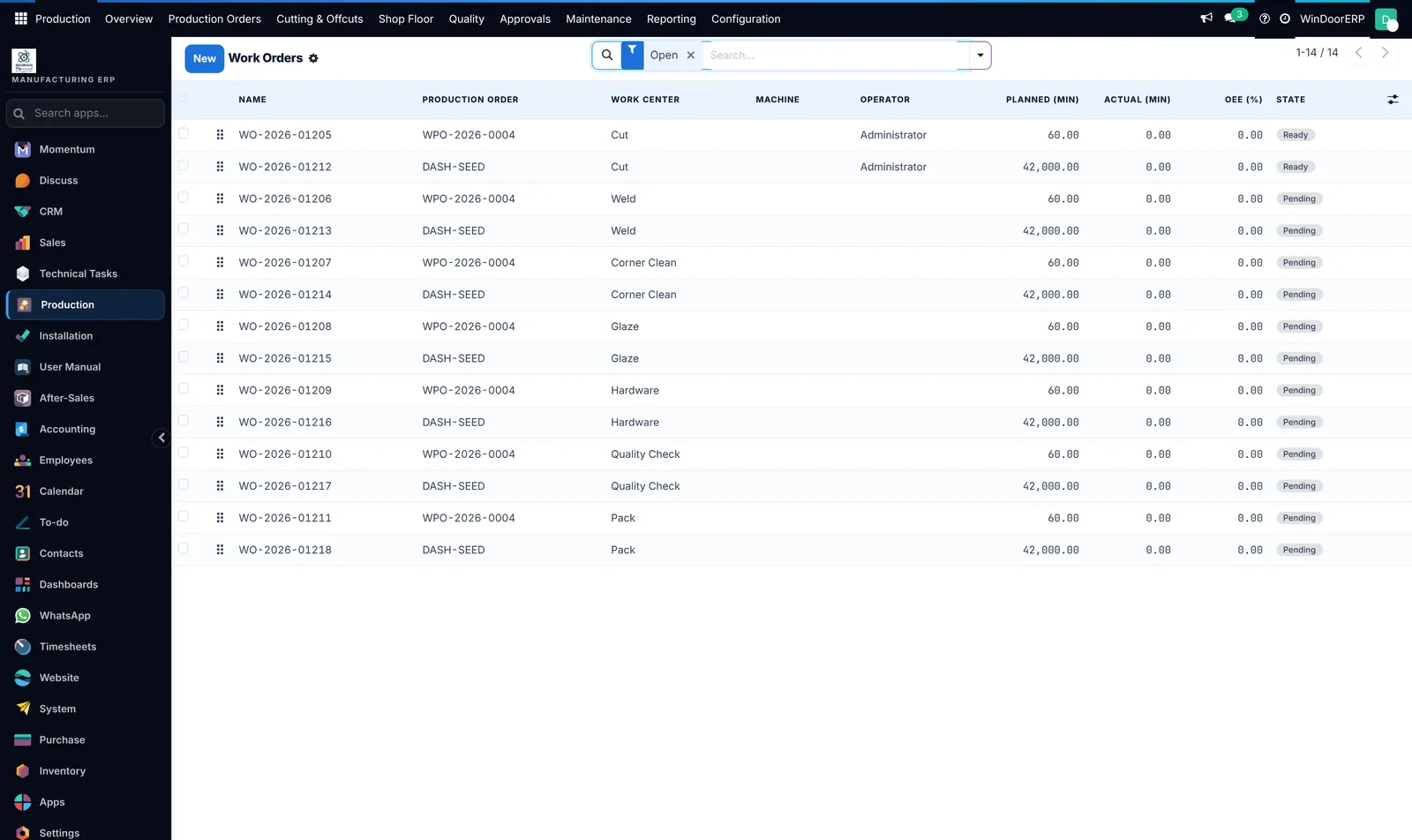
cut, weld, corner clean, glaze, hardware, quality check, pack — with planned and actual minutes on every operation
The routing — cut, weld, corner clean, glaze, hardware, quality check, pack — with planned and actual minutes on every operation
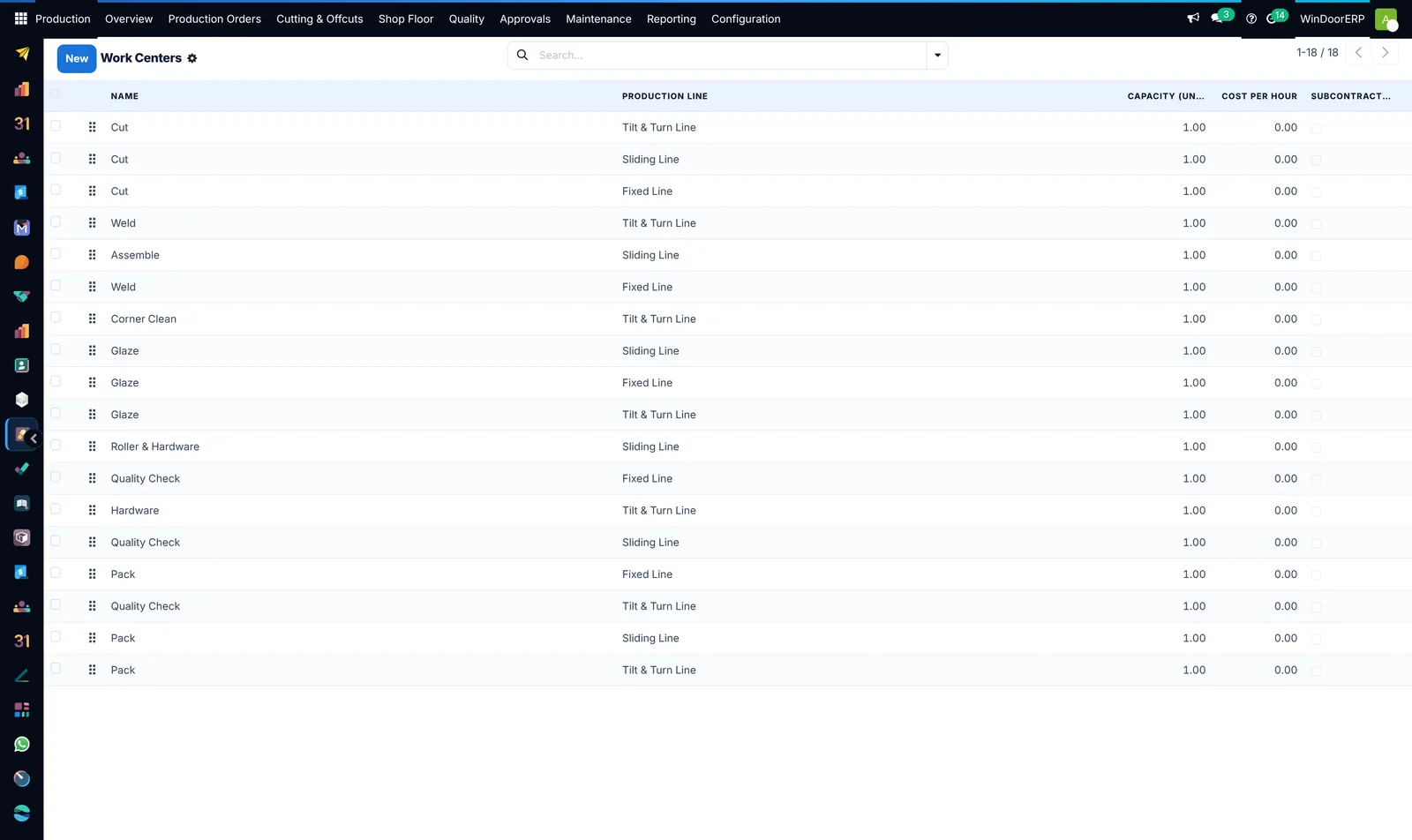
work centres grouped into production lines, each with a capacity and a cost per hour
Your stations — work centres grouped into production lines, each with a capacity and a cost per hour
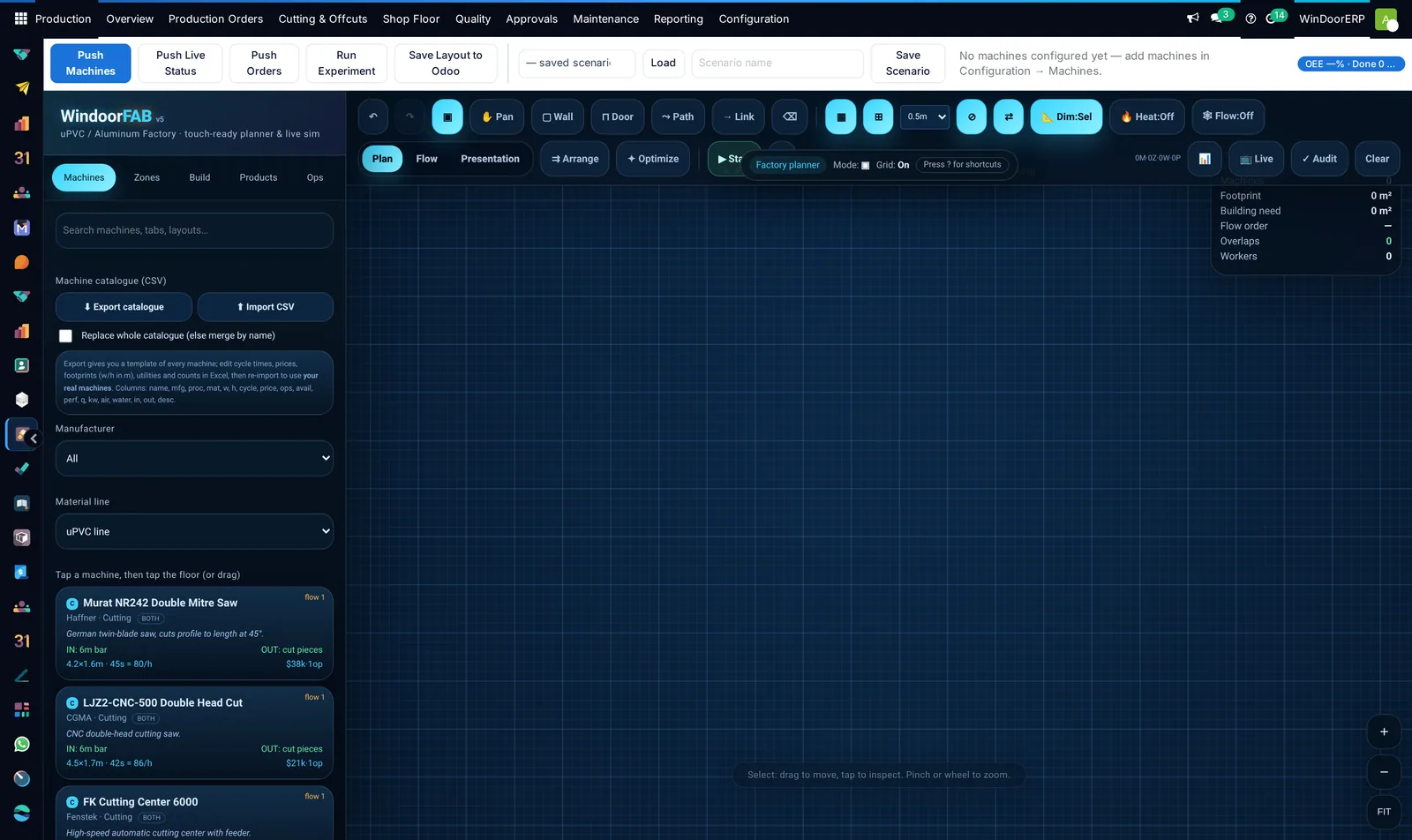
a machine library with real saws and machining centres — cycle times, footprints, in and out rates — to lay out and simulate the shop itself
The factory planner — a machine library with real saws and machining centres — cycle times, footprints, in and out rates — to lay out and simulate the shop itself
The station

Built for someone wearing gloves.

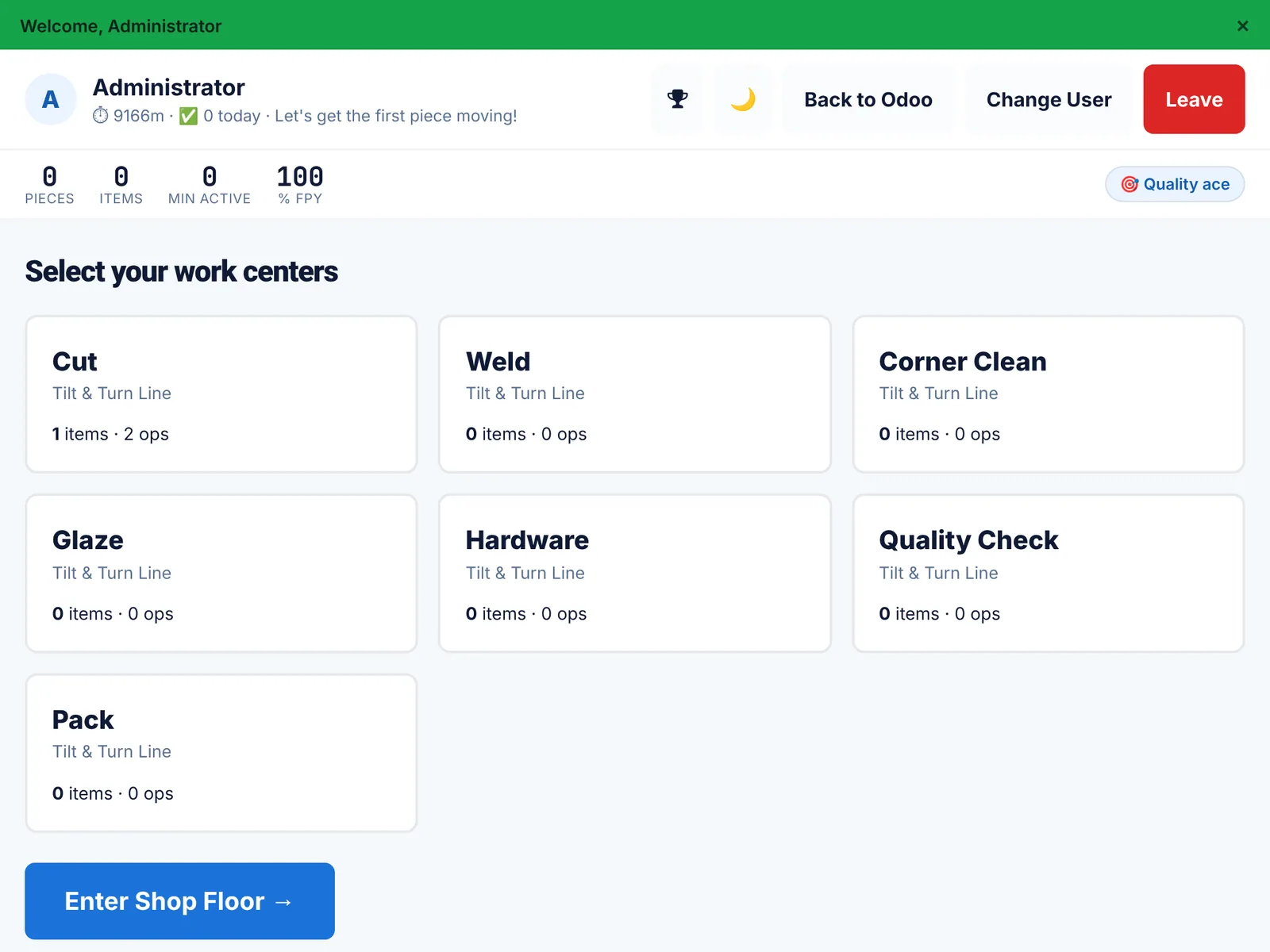
A terminal, not a form. Badge or PIN in, see only the stations you are certified on, act piece by piece, call a manager if something is wrong. Operators can be portal users, so putting a tablet on every station does not mean buying a licence for every station.
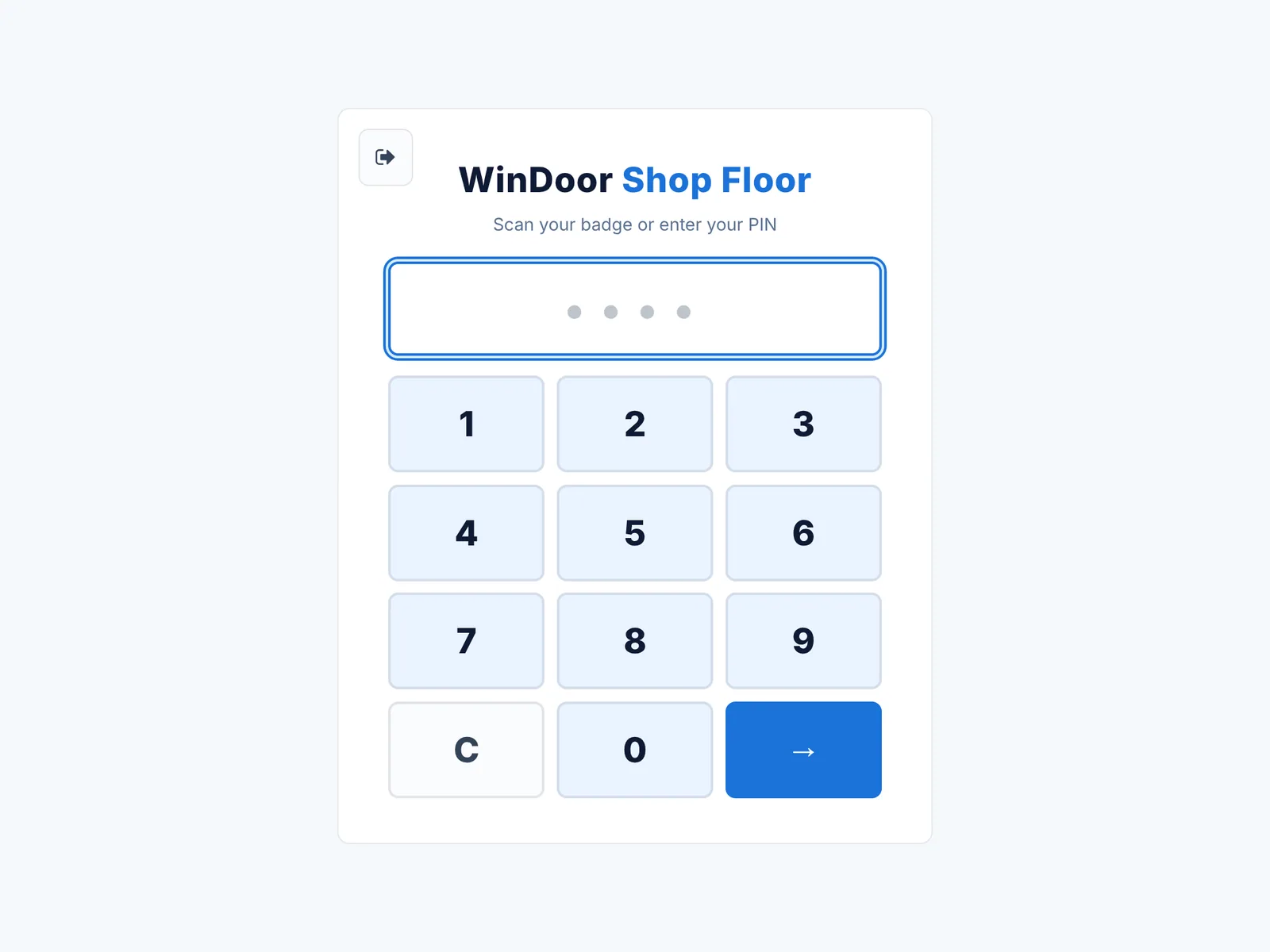
the only thing an operator sees before clocking in
Badge or PIN — the only thing an operator sees before clocking in
filtered by what this operator is qualified on, each showing the work waiting there
Only your stations — filtered by what this operator is qualified on, each showing the work waiting there
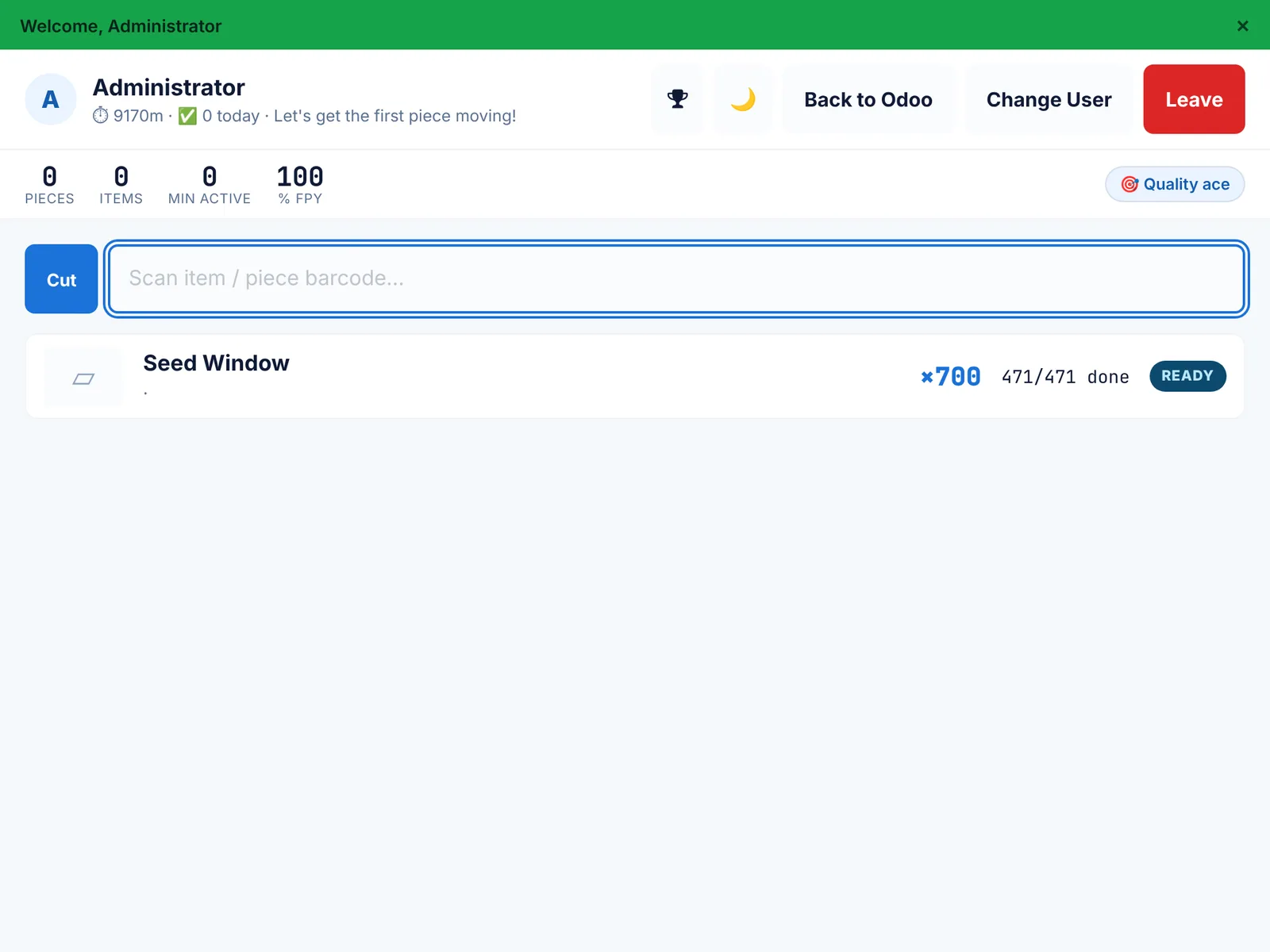
scan the piece or pick it from the list; the counter tracks pieces done today and first-pass yield
Inside a station — scan the piece or pick it from the list; the counter tracks pieces done today and first-pass yield
10s
Clocking in — PIN on a tablet, then the operator picks the station they are certified on

What the terminal can do

  • Per-piece done and scrap — the unit is the record, not the batch
  • Scan to advance through cut, weld, clean, glaze, hardware, check, pack
  • Quality prompts at the points you configured, blocking what should be blocked
  • Report a problem and call a manager, from the station
  • Print labels to a thermal printer, with a reprint trail
  • Change user in two taps, because stations are shared
  • Actual minutes accrue against the work order — which is what makes the effectiveness figure honest
Traceability

Every piece in the building has a name.

A serial from the moment it is planned, a scan history that says where it is, an inspection state, and a label that ties the physical frame to the record. Three years later a service call can still find it.
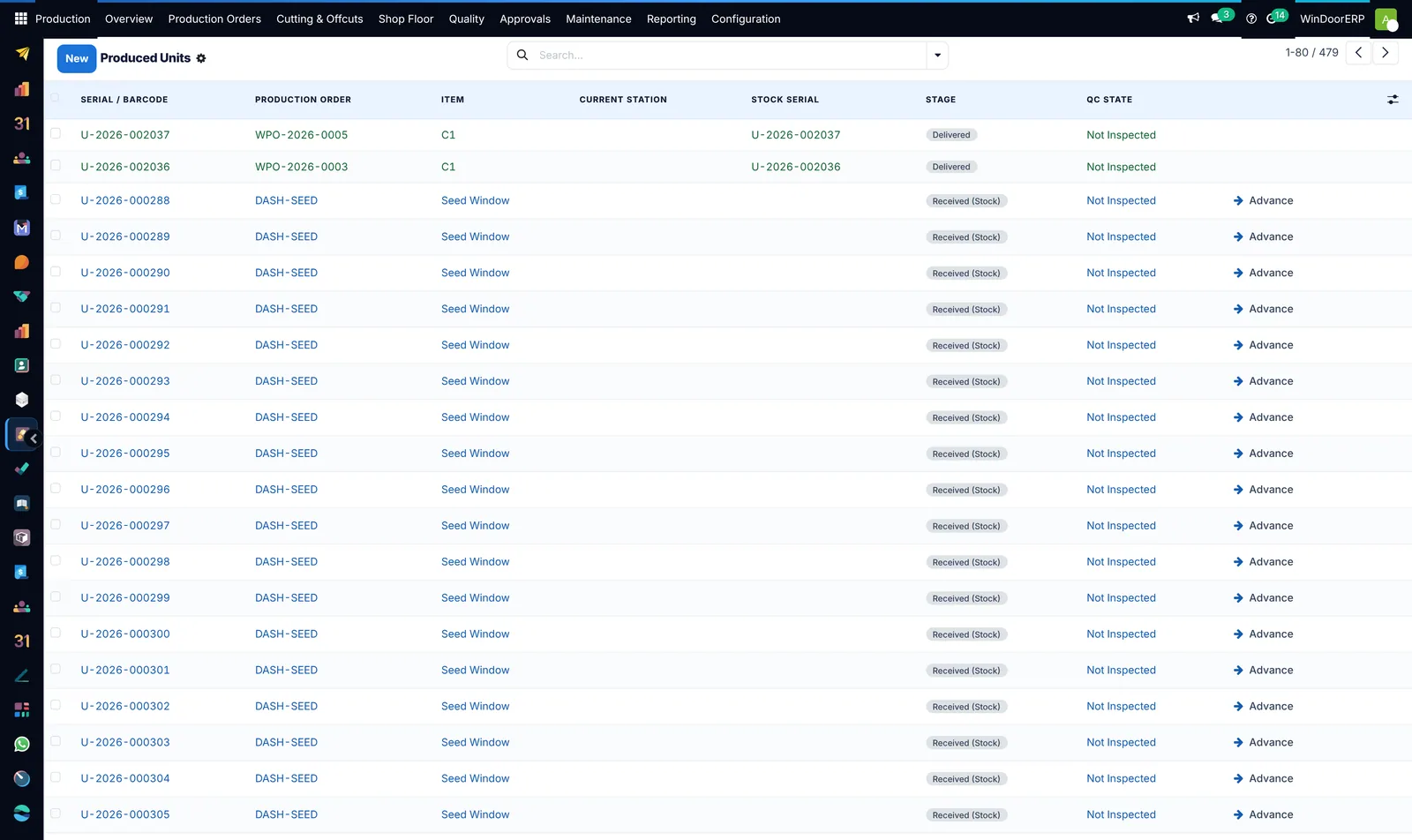
serial and barcode, the order it belongs to, the item, the stage it reached and whether it has been inspected
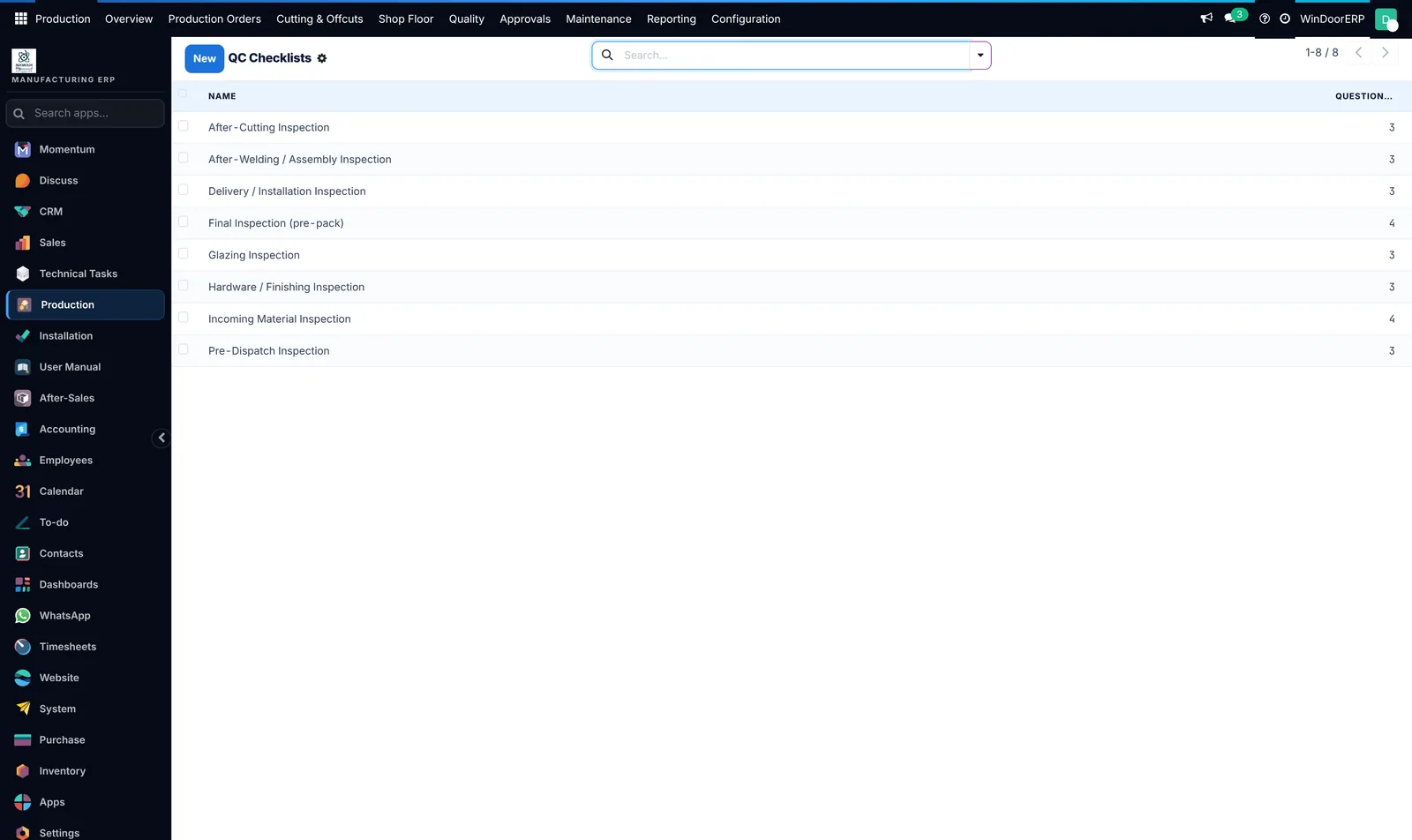
Produced units — serial and barcode, the order it belongs to, the item, the stage it reached and whether it has been inspected
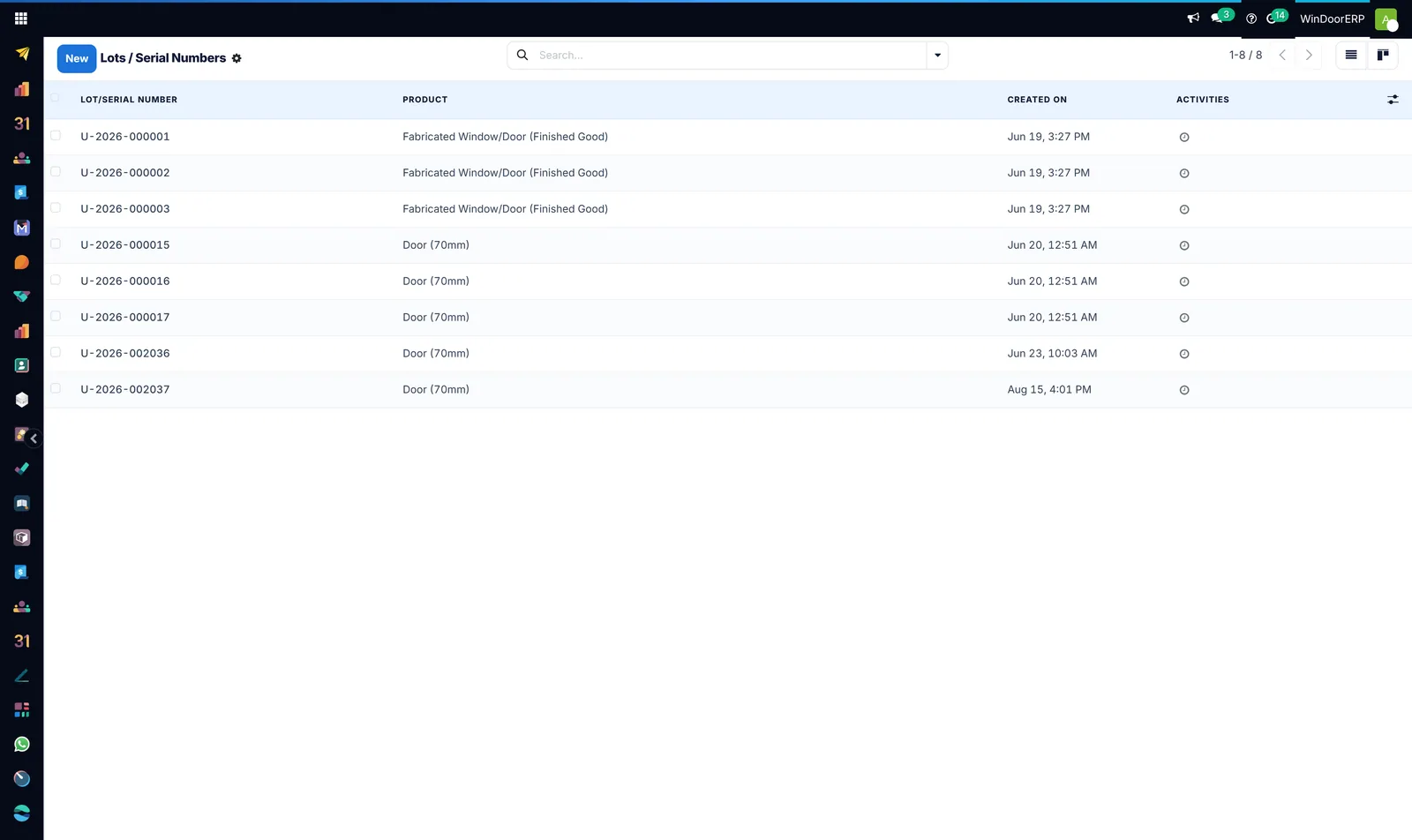
the same serials as tracked inventory, so a finished window is a stock item with a history rather than a line on a delivery note
In the stock ledger too — the same serials as tracked inventory, so a finished window is a stock item with a history rather than a line on a delivery note
incoming material, after cutting, after welding, glazing, hardware, final pre-pack and pre-dispatch
The quality gates — incoming material, after cutting, after welding, glazing, hardware, final pre-pack and pre-dispatch
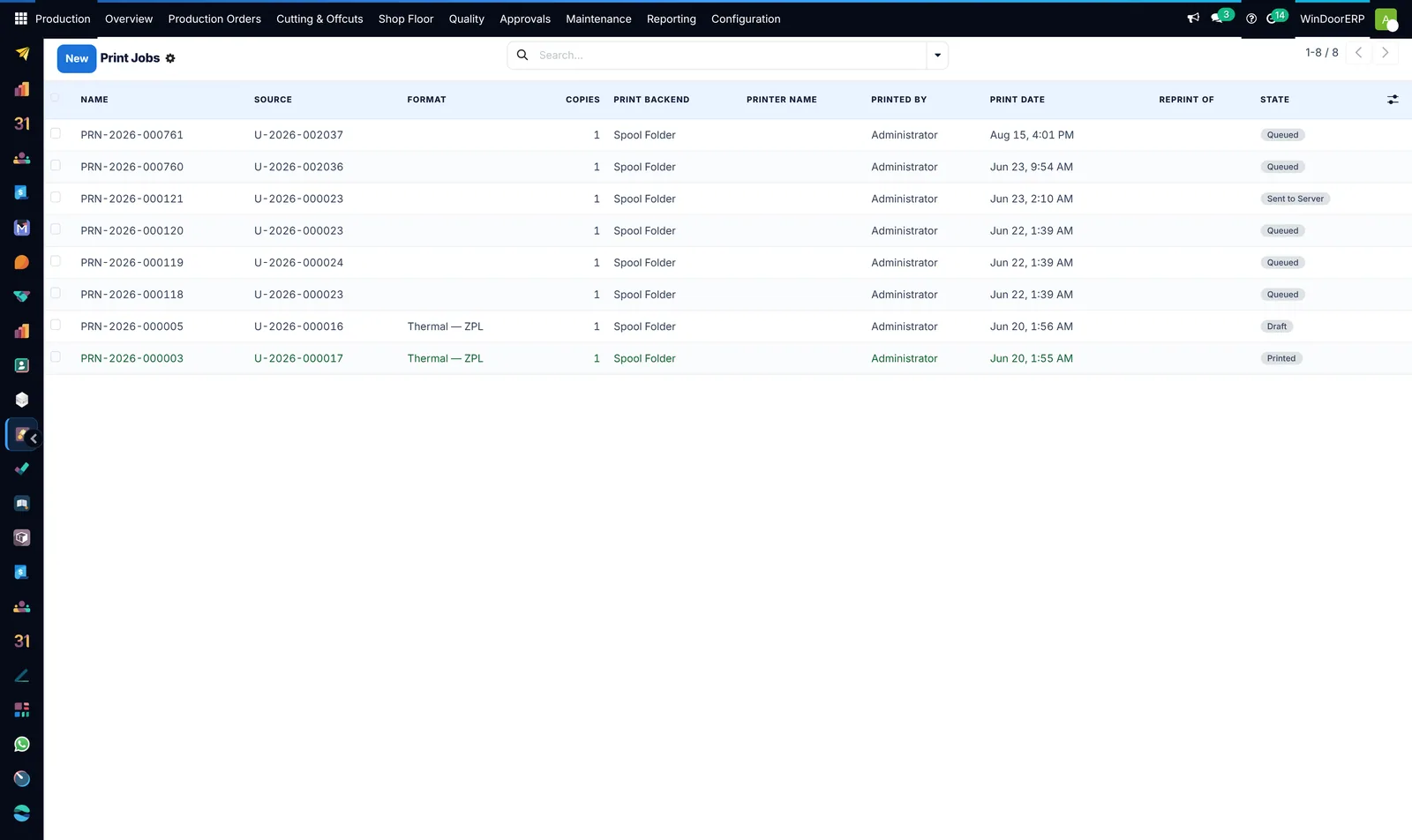
what was printed, by whom, to which printer, in which format — and reprinted when a unit gets damaged
Label history — what was printed, by whom, to which printer, in which format — and reprinted when a unit gets damaged
Materials

Profiles, glass and hardware
are just stock.

Nothing here is a parallel universe. Every profile bar, glass sheet and fitting is an ordinary stock item with a cost, a location, a valuation and a reordering rule — sitting in the same ledger as everything else the company buys.

  • Reordering rules on the items that stop a line when they run out
  • Lead-time warnings on the long-lead hardware buried in a job
  • Valuation that your accountant can reconcile without a translator
  • Off-cuts that count as stock rather than as scrap
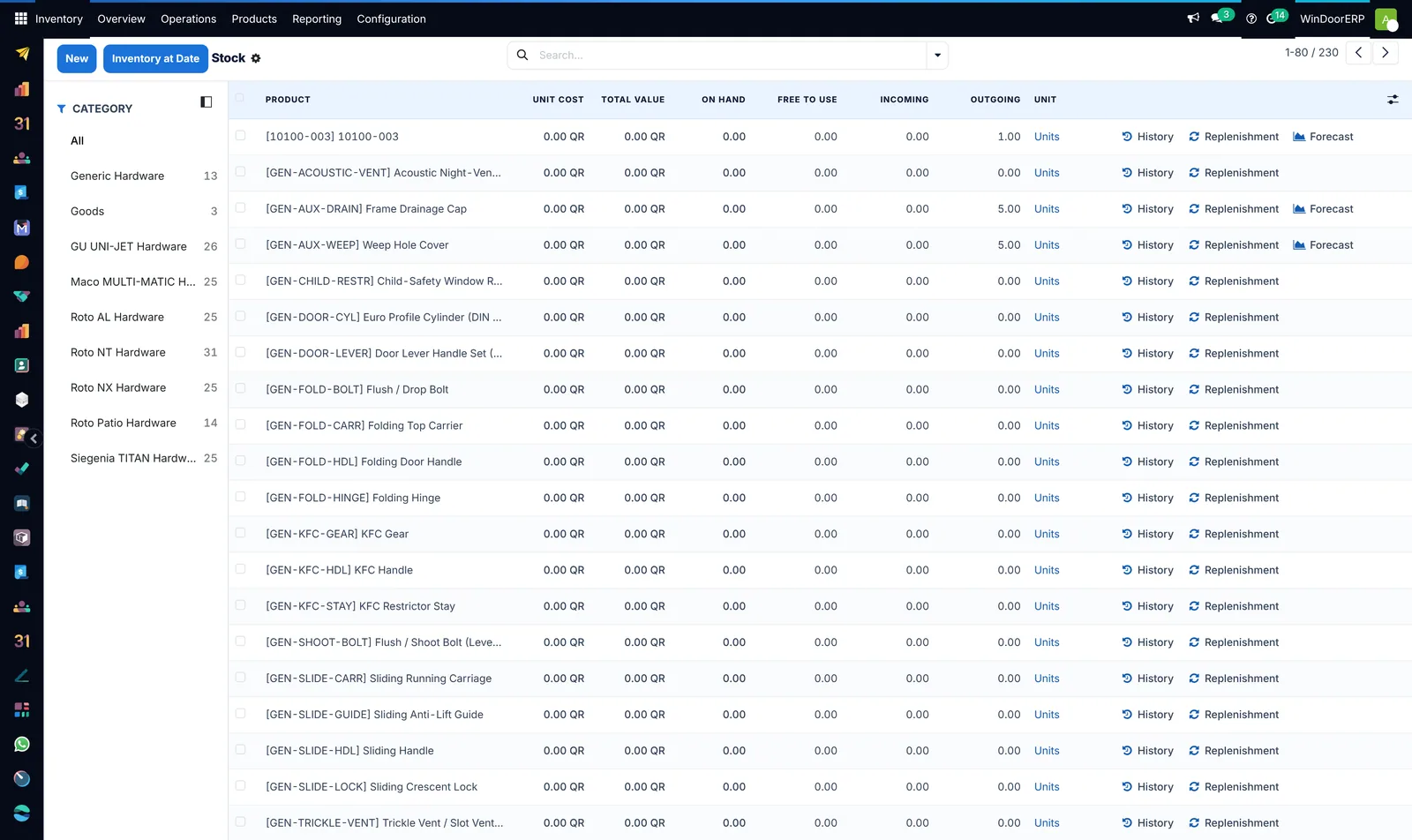
unit cost, total value, on hand, free to use, incoming and outgoing — for every hardware and profile family
Stock, by category — unit cost, total value, on hand, free to use, incoming and outgoing — for every hardware and profile family
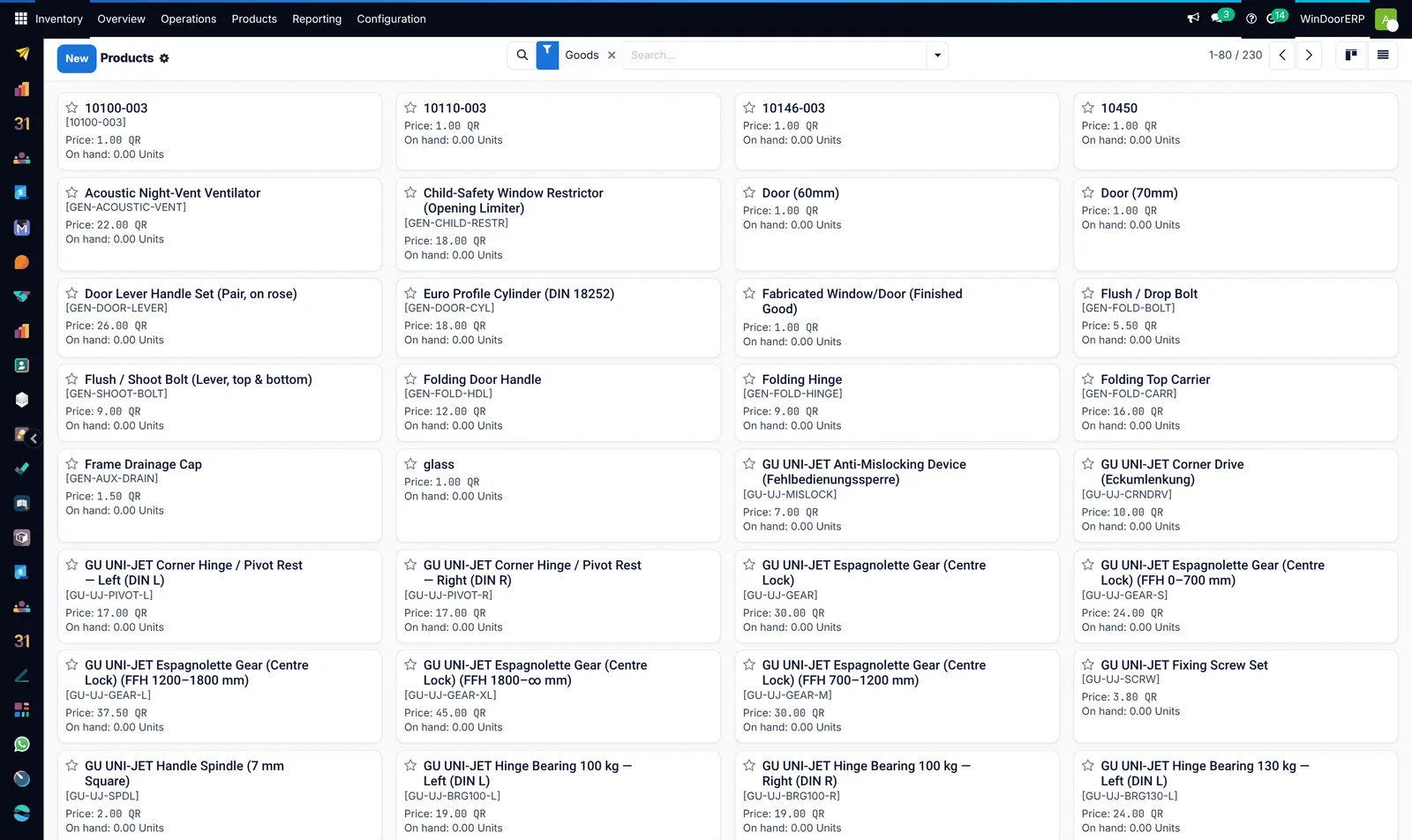
profiles, fittings, glass and finished windows, each with its own code and price
The item catalogue — profiles, fittings, glass and finished windows, each with its own code and price
Still to capture

Three shots we owe you from the real shop.

Clip
A barcode scan advancing a piece

Filmed at a real station with a real scanner: scan, the stage advances, the counter ticks up.

Photo
A printed label on a finished frame

Ties the terminal, the printer and the physical unit together in one frame.

Screenshot
A non-conformance, raised to closed

Needs a real quality failure recorded on a real order first.

Book a working session

Stop reading about it.
Open the system.

We will run your own workflow through a live tenant — your profile system, your glass spec, your paper size, your currency — and hand you the mouse. Bring one real job and we will take it from enquiry to invoice in front of you.

45–60 minutes · no slides · run on a real database · English or Arabic